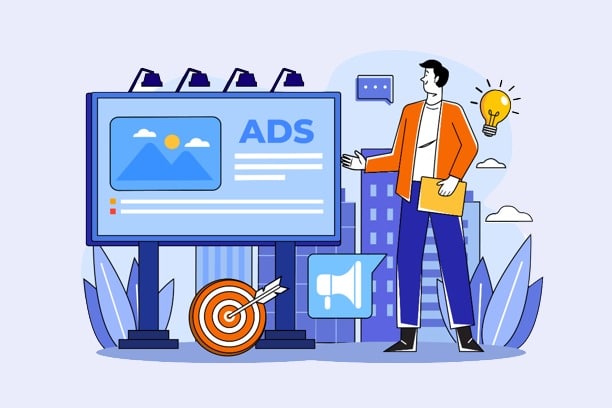
Looking for a marketing tool that stands out from the crowd? Look no further. Banner ads come in a variety of shapes and colors to help you get the most clicks on your ads. They take the form of images that contain links and redirect users to a specific brand’s website. Today, many companies use web banners because they’re measurable, effective, and inexpensive. However, it’s important to note that a banner’s performance is closely tied to its design. How can you create a high-quality web banner? From the right formats and placement to color choices and relevance, let’s explore the different tips you can put into practice.
The Right Format for Your Banner
The success of your online banner depends on a multitude of important factors. To start, you need to choose the right format for your design. According to Google AdSense, there arestandard sizesthat ensure effectiveness. These include: the large rectangle (336 x 280 pixels), the medium rectangle (300 x 250 pixels), the half-page (300 x 600 pixels), and the header (728 x 90 pixels). These are the formats you should choose from.
Next, you need to consider which file formats are compatible with your ad campaign. To give yourself the best chance of success, you should opt for formats such as HTML5, GIF, JPG, or PNG. If you have the necessary skills to use tools likePhotoshop and Adobe Illustrator, you can edit your images and create GIF, PNG, and JPG files. On the other hand, if you’re proficient with Adobe Animate and Google Web Designer, you’ll end up with HTML5 files. Keep in mind that Flash ads are obsolete. Therefore, you must use the image formats mentioned here to ensure a clean and appealing visual presentation. Otherwise, you risk facing negative consequences.
Finally, to ensure your web banner meets your expectations and those of the internet, you should choose the smallest file sizes possible. According to Google Ads, the maximum allowed size is 150 KB. This ensures that your banner loads quickly before visitors scroll past your page and lose sight of the ad designed to prompt them to take action.
The Best Placement for Your Advertising Tool
It's important to place your ad in the best possible location. To do this, you need to follow the hierarchy and choose the best spots for your banners. Here are a few essential tips to keep in mind.

The hierarchy
The aesthetics ofonline banner adsdepend on a balanced hierarchy. What makes a brand’s design high-quality is how easily visitors can recognize it. To ensure your banner has the desired effect, you should include your brand’s logo. This will have an immediate impact on your brand’s popularity. When creating your banner, make sure the logo is prominently displayed without obscuring the value proposition and the CTA (Call to Action).
Next, you need to think about the value proposition. Its purpose is to showcasethe product or serviceyou’re looking to highlight. In most cases, it speaks volumes on its own and catches the eye of website visitors. It could be a special offer or a very attractive price. Common phrases include “limited time offer,” “only 10 left in stock,” “20% off,” and so on. The value proposition should take up as much space as possible on your web banner. It should also be prominent enough that visitors won’t miss it.
Finally, you need to includea call to action(CTA) in your ad banner. This involves adding a button that encourages users to click on your ad. To do this, consider adding phrases such as “learn more,” “find out more,” “watch the video,” “get started,” etc. Note that this element must be a key part of your design.
Choosing Locations
On your platform, you shouldn’t leave anything to chance. Consider where you want your banner to be placed for maximum impact. For example, placing it above the fold can be an excellent idea.
In addition, depending on thetype of banneryou’re creating, you’ll definitely need buttons to improve your click-through rate. If you choose to include multiple buttons, you should place them after your text, in the lower-right corner of your banner. Don’t forget to choose a contrasting yet harmonious color to ensure a successful design. Consistency among your web banners is important from a design perspective. Therefore, you must be very careful.
Finally, you should know that the eyes are naturally drawn to well-framed information. To ensure your advertising material is effective, you need to place it within a specific frame. The standard approach is to use a one-pixel gray border for designs that are predominantly white.
Distinguishing with Simplicity
To getas many clicks as possible, you need to earn the trust of visitors who land on your social media page, website, or blog. To do this, you must ensure that your banner is seamlessly integrated into your platform. Avoid letting your ad blend into the background. It must be clickable and remain visible so that users can interact with it.
Whether it’s images,animations, or text, you should focus on simplicity. Users will only pay attention to your ad banner for a few seconds. You have only that brief moment to convince them to click and learn more about a product or service. Avoid extravagance and opt for simplicity.
Text Readability
To create a banner that performs well, there are best practices to follow and mistakes to avoid. For example, you should always use different font sizes for the headlines and body text in your ad. As for thebody text, it should consist of no more thanfour lines.
As for practices to avoid, these include: choosing a script or handwritten font, fonts that are too thin, the use of all caps, or fonts smaller than 10 pt.
Animation elements (animations and images)

When we talk about web banners, we’re also referring to animated advertising tools. According to statistics, these deliver better results than static solutions. So, if you’re looking for powerful marketing tools, this is an idea worth exploring. To do so, you need to ensure that the animation you choose doesn’t hinder the visibility of the message you want to convey.
We recommend using short animations (about 15 seconds) and a total of three loops. Finally, make sure you’ve includeda CTAin your last frame. This is important for the success of your ad campaign.
As for images, there are several types, namely: photos and graphics. They’re excellent for getting your message across effectively and creating a connection with the product. You must therefore be extremely careful. If you don’t have the budget to hire a supermodel or a professional photographer, there’s an alternative: purchasing a license to use photos from online stock libraries. There, you’ll find millions of images you can use for your banner. Additionally, you have the option of using an illustration created by a graphic designer. Finally, keep in mind that adding an image isn’t essential for a successful ad. With text andattractive fonts, you’ll achieve your goals.
Consistency and a Sense of Urgency
The link included in your web banner directs visitors to a page where they can learn about your products and services. We therefore recommend ensuring consistency between the landing page and the banner’s design. If you don’t follow this tip, you risk confusing the user.
To encourage visitors to click on your ad banner, you need to create a sense of urgency. To do this, you should use acombination ofcontrastingcolors. As mentioned earlier, banners should be simple, but not bland.
Choosing the Right Color
To create a high-quality banner, you need to consider which color to use. You should be very careful when making this decision. Here are a few key factors you should definitely keep in mind.
The Importance of Colors
Colors cannot be chosen at random, as they have specific meanings. That’s why you need to consider the emotions you want to evoke in your visitors. This will help you choosethe right colorsto highlight in your online banners. When internet users’ eyes land on your banners, color is the first thing that will catch their attention. Depending on your culture and country, colors may carry very specific meanings. Keep this in mind to ensure you select the right colors.
Colors and Their Impact
In the West, certain colors have specific meanings. Here are some options you can use for your banner.
Red, orange, and yellow

Red evokes anger, excitement, passion, and love. While this color is extremely popular with internet users, it should be used with great caution. If you want a mature and professional-looking web banner, this is a color to avoid.
As for orange, it’s energizing and playful. Less intense than red, it conveys dynamism and is perfect for aCTA button.
Yellow catches the eye and evokes images of the sun and warmth. You can use it to convey a sense of youth or highlight low prices.
Green, blue, and purple
Renewal, wealth, health, freshness, and the environment… these various colors are reminiscent of green, which is visually pleasing. It is just as important as blue, which is present inmost logos. This color is used to evoke formality, masculinity, clarity, security, and trust. Also consider using purple. However, this color is particularly well-suited for conveying creativity, femininity, luxury, royalty, and extravagance. It has soothing and calming properties.
White, Black, and Gray
White symbolizes purity, modernity, and innocence. It also evokes accessibility and youth. When paired with black, it creates an air of mystery and enhances readability—provided you write your text on a white background. To convey neutrality, use gray. It serves to intensify other colors.
Brown and Pink
We’ll finish withpink, which is associated with femininity, youth, and babies. On a family website, this is a color you can use for your banner. Finally, brown helps balance out the other colors and textures. Commonly used as a background, it evokes seriousness, wood, nature, and masculinity.
Website Banner: At a Glance
In short, a web banner is important for promoting a platform’s products and services. Follow the tips provided here to create a successful ad.