
To run a business online, you must have a website. While specialized agencies are recommended for website design, this is partly due to the in-depth development expertise that certain experts possess. However, there are now solutions that let you easily create your own website without coding and without needing any specific knowledge of HTML or CSS. These various platforms are so similar that it’s difficult to choose just one. If you’re looking for a platform to design a website without writing a single line of code, you’ll find what you’re looking for right here.
Webflow

Do you need awebsite-buildingplatform that doesn’t require writing a single line of code? Webflow is exactly the solution you need. Thanks to its well-developed features, it lets you design custom, flexible websites. The only limit to using this tool is your own imagination.
If you’re interested in creating a website, don’t hesitate to try Webflow. Using this platform doesn’t require extensive coding knowledge. You simply need to link and combine blog posts using the“drag-and-drop” feature. Keep in mind, however, that the platform is far from intuitive for beginners. In fact, there are so many different settings and options available in the interface that they can be difficult to understand.
That is why some specialized agencies use Webflow to create websites for their clients.
Compatibility with Other Tools
Building a website without coding using Webflow is appealing because it allows you to integrate several other tools. Depending on your preferences, you can connect solutions such as Coda, Slack, or Airtable to your platform. This will help you create an effective website.
Webflow Offers

With Webflow, you can create several types of websites. Showcase sites, blogs, and personal websites are just some of the possibilities you can explore. Depending on which option you choose, you have several plans to choose from. First, there’s the Basic plan, which starts at $12/month. It’s ideal for customers who want to create a website with as little content as possible.
There’s also the CMS plan at $16/month, which is suitable for content-based websites. Finally, there’s the Business plan at $36/month, which is the best choice for a website with high traffic.
If you’re planning to build an e-commerce site, you’ll have three main options to choose from: the “Standard” plan, the “Plus” plan, and the “Advanced” plan. These plans cost $29, $74, and $212, respectively. The difference between these plans is the size of the business. The “Standard” plan is suitable for small businesses, the “Plus” plan is designed for growing businesses, and the “Advanced” plan is best suited for large businesses.
Prestashop

Prestashop is anopen-source e-commerce platformthat allows you to create your own online stores to sell your products. To use this tool, you must first sign up for web hosting with a provider that specializes in this field. Next, you must install this CMS on your server in order to access its interface.
The Prestashop interfaceis well-structured and allows you to customize your site according to your preferences. Note, however, that configuration requires in-depth knowledge. If you plan to build a large-scale online store, you’ll need to hire a developer. With their guidance, you’ll be able to manage inventory and products effectively. Keep in mind, though, that it will take some time to adapt to and master the CMS.
What's interesting about PrestaShop is that it lets you view reports on your goals. You can install plugins on this e-commerce website builder platform. However, you need to take several precautions, as your extensions may conflict with themes.
Prestashop's pricingis likely to please you because the CMS doesn't charge any commission on your sales. The CMS is free, but you'll need to set aside a budget for the theme you want to use. You should also budget for certain modules.
Wix

Is ease of use your top priority when lookingforano-code website builder? If so, Wix is definitely the right choice for you. It’s a platform that works similarly to Webflow but features an easy-to-use interface. As a result, even a beginner can create their own website in no time.
With Wix, you can use any template you like to build your platform. There are a wide variety of templates available that will help you create a personalized website. Once you’ve chosen the theme you like, you can edit the content without writing any code. All you have to do is use the “drag-and-drop” feature.
Although Webflow offers more customization options,Wix is stillworth considering. In fact, you can enhance your website by installing extensions. One of this platform’s strengths is that there are a wealth of French-language resources to guide you through the process until your site goes live.
Website Design Rates
When creating a website with Wix, you have a wide range of options available. For a small personal website that displays Wix ads, you can sign up for the “Domain Connection” plan, which costs 5.40 euros per month. In addition to this plan, you can choose from:

The main difference between these plans is that the “Basic Plan” offers limited storage, but enough to create a blog. The “Unlimited Plan,” on the other hand, provides unlimited bandwidth. It’s especially well-suited for creating a professional website. Finally, the VIP plan offers even more storage space.
Pricing for Creating an Online Store
When creating youronline store with Wix, you can choose from three main plans: the Basic plan at 20.40 euros per month, the Unlimited plan at 31.20 euros per month, and the VIP plan at 42 euros.
Squarespace

Squarespace is one of the“no-code” website builders. Even if you’re a beginner, this platform lets you design your website in just a few hours. It does this using the well-known “drag-and-drop” technique. Squarespace is a pretty interesting solution since it lets you analyze your statistics and send newsletters.
In terms of usability,Squarespaceis easy to learn. If you’re looking to improve your website, it’s best to take a training course. This will help you master the advanced features and develop your website. In fact, if you’re planning to create an online store, you’ll need to edit the code to customize your product pages.
As for the design of your Squarespace site, you can customize it using templates. These templates will allow you to create professional websites with aminimalist design. If you’re concerned about your site’s layout, rest assured that it will feature a responsive design. This means your customers will be able to view your site on any device.
Squarespace lets you create whatever you want, although your animation options will be somewhat limited. In terms of pricing, you can choose from four plans: the Personal plan,the Business plan, the Basic Commerce plan, and the Advanced plan. These plans are available for 11 euros/month, 17 euros/month, euros/month, 24 euros/month, and 36 euros/month, respectively.

WordPress

WordPressis undoubtedly the most popular CMS of all time. To illustrate this point, consider that 40% of the world’s websites use this platform. It makes it easy to create websites without writing a single line of code. Of course, for more advanced websites, modifying the code will be unavoidable.
One of the reasons WordPress is so popular among users is its highly intuitive interface. Whether you’re a beginner or an experienced user, you’ll be able to easily create both dynamic and static pages. In terms of design, you’ll have access tonumerous templatesthat will allow you to build a custom platform. Note, however, that unlike Webflow, WordPress doesn’t offer as much freedom.
WordPress is one of the best CMS platforms in the world, partly thanks to its plugins. In fact, this solution relies heavily on its extensions. Initially, the platform offers only basic features. To expand its capabilities, you’ll need to install a number of extensions. Depending on your needs, there are several plugins you should prioritize.
In addition to these various details, you'll have access to a wide range of online resources. Tips,tutorials, blogs, and videoswill help you easily create your website.
WordPress.com Pricing

WordPress is a hosting platform that offers several paid plans. The Personal plan, available for 4 euros per month, lets you create a personal website, but you won’t have access to plugins. As for the Premium plan, which costs 8 euros per month, it’s designed for creating a blog without plugins.
For your business and your online store, you can choosethe Business plan at 25 euros per monthand the E-commerce plan at 40 euros per month, respectively.
WordPress.org
WordPress.org is a free version of the popular CMS that is installed when you sign up for web hosting. This solution is completely free once you pay for your hosting and domain name.
WooCommerce

It's impossible to talk about WordPress without mentioning WooCommerce. This rather unique platform is a WordPress plugin that lets you manage your e-commerce site. When you don’t factor in hosting costs, this solution is completely free.
This extension’s interface is easy to use. All you have to do is fill in the self-explanatory fields for the different categories. Anyone can set it up. In terms of design, WooCommerce uses all WordPress templates. You’ll need to select the theme of your choice and customize it. However, to achieve more specific designs, you’ll need to hire a web developer to modify the code.
There are a plethora of options available with WooCommerce. As a result, you’ll inevitably need sometime to learnhow to use the plugin effectively and apply it to sell your products online. Depending on your preferences, you can combine this plugin with others to access even more features. Be careful, however, to avoid bugs.
In conclusion, WooCommerce is free and allows you to create an online store in just a few hours. However, it has limitations in several areas, namely: freedom of customization and freedom to manage the design.
Bubble

On the web, Bubble isawidely usedno-code website builder. Like Webflow, it lets you create pages using an enhanced “drag-and-drop” interface. In fact, with Bubble, you can select the specific element you want to place. You can also adjust its size and color to suit your preferences.
One of Bubble’s strengths is its support. The platform guides you step-by-step through the process of designing your website. When you create a new page, the wizard helps ensure it’s set up correctly. The intuitiveness of Bubble’s interface is quite impressive, and the number of available features is just as impressive. If you want to create a custom website, the menu has everything you need.
In fact, to help you achieve your goals,Bubbleoffers a grid view. This feature lets you arrange the various elements however you like. In reality, this no-code website builder is easier to learn than Webflow, but you’ll need to tap into your creativity.
There are several plans available for building websites with Bubble. These include the “Personal” plan at $25 per month, the “Professional” plan at $115 per month, and the “Production” plan at $475 per month.
Shopify
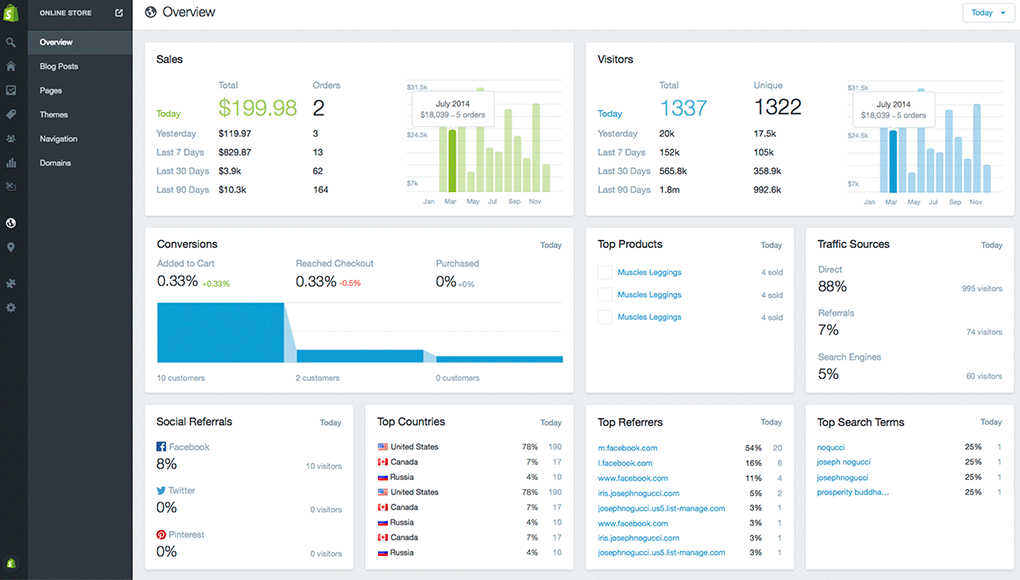
If you spend a lot of time online, you’ve probably heard ofShopify. It’s a platform with an interface similar to WordPress. The main difference is that this platform is more focused on e-commerce.
In fact, Shopify is an essential solution for creating an online store. It provides you with auser-friendly interfacepacked with features. You can add products to your catalog, set up categories, and perform other tasks intuitively.
Shopify’s designis similar to that of WordPress. You’ll also have access to customizable templates. Unfortunately, you won’t be able to create an online store that’s entirely tailored to your vision, since the design features are fairly limited. However, extensions will allow you to explore other possibilities. Note that the “drag-and-drop” feature is available on this no-code website builder.
If you're looking for a high-quality solution for designing your online store, Shopify is all you need. The platform lets youmanage shopping carts, process automatic payments, and handle fees. To access all these features, you'll need to sign up for a Shopify plan.

Weebly

If you’re looking for an alternative to Wix, Weebly is a no-code website builder you should consider. It uses a“drag-and-drop”interface, which means you can build your site by moving blocks around on your pages. The platform’s interface is very simple, but you’ll be limited in terms of design. That said, you can use themes to build a solid foundation. Weebly offers three plans: the Personal plan at $6/month, the Professional plan at $12/month, and the Performance plan at $26/month.
Builder

The last platform on this list is Builder. It’s a no-code website builder that lets you addlines of codewith the click of a button. This tool lets you create dynamic websites, but it will take some time to get used to and learn. What’s really great about Builder is that you can integrate it with Shopify to create an online store.
Builder offersseveral plans, which you can choose from based on your needs. These include:
- The Free Offer
- The Basic Plan: $20/month
- The Growth Plan: $40/month
- The Enterprise Plan: Custom
Create a Website Easily Without Coding: A Summary
All in all, there are several no-codewebsite-buildingsolutions available on the market. Depending on your budget and how much customization you want, you should choose the platforms that are best suited for you.